
Odoo 20 was officially launched on September 24, 2026, introducing major updates to AI, user experience (UX), and business modules. This version focuses on expanding automation capabilities, simplifying user operations, and improving how businesses manage their operations on the ERP system.
Previously, NOS published an article introducing the Odoo 20 roadmap, summarizing the features expected to appear in this new release. With the official release now live, this article will highlight the key updates, analyze their practical application value, and address important considerations for businesses exploring this latest version.
What's New in Odoo 20? An Overview of Notable Changes
Odoo 20 was introduced in September 2026. Businesses can check the update list by app at Odoo 20 Release Notes.
Key Odoo 20 features focus on three main categories:
- AI and Automation: AI Agents can assist with creating, updating data, and executing tasks on request. The system also introduces voice interaction and the ability to connect to databases via the MCP protocol.
- User Experience: Improvements to scheduling, activity tracking, communication management, and navigation across system views.
- Business Applications: Updates to features related to Accounting, Website, Marketing Automation, Sales, Inventory, and Manufacturing.
These changes demonstrate Odoo's continued push toward integrating AI into daily workflows while refining core functionality to support business operations. The following section highlights the main updates and is not intended to replace the full Release Notes.
Highlight Features in Odoo 20
1. AI and Automation Get Closer to Practical Workflows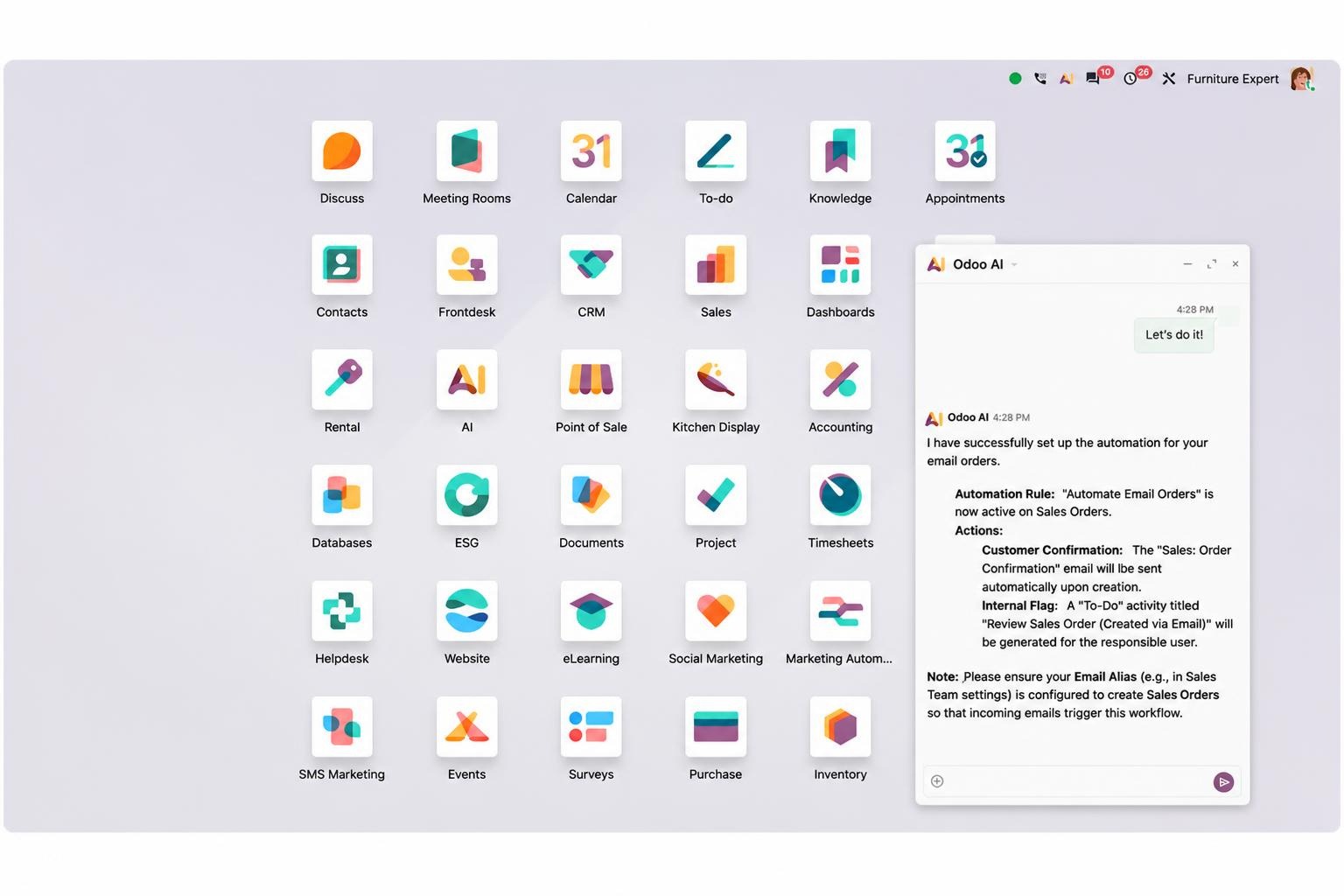
One of the highlights of Odoo 20 is the ability to apply AI Agents to business tasks. Rather than merely assisting with searches or answering questions, the AI Agent can actively process work using Odoo data based on instructions and granted permissions.
Key updates include:
- Creating and updating records: Users can instruct the AI Agent to create new records or adjust existing data within the system.
- Voice interaction: Allows users to speak requests directly to the AI Agent instead of typing text.
- MCP connectivity: Odoo supports database connectivity via the Model Context Protocol (MCP), expanding interoperability with compatible AI tools.
- Triggering automation: The AI Agent can be invoked through automated actions or scheduled tasks set up in the system.
For example, upon receiving new lead information, a business can build a workflow where the AI Agent assists in creating a record and updating the corresponding details. For properly configured tasks, the system can even automatically assign leads to sales representatives or execute the next steps in the pipeline.
However, execution capabilities depend on configuration, data, authorized tools, and business processes. Odoo 20 also requires IAP credits for AI features, so businesses need to evaluate usage costs alongside automation efficiency.
2. Improved User Experience
Alongside AI, Odoo 20 continues to refine frequent operational tasks to help users manage their work more conveniently.
Key updates include:
- Activity management: When creating a new activity, users can assign tasks to a specific individual or a role. Meeting activity details are also presented with greater clarity.
- Communication tracking: The Chatter now features filters, allowing users to focus on specific conversations or critical changes that require tracking.
- Calendar management: When using the scheduling view in Calendar, users can drag and drop records into the side panel to unschedule them.
- Email communication: Users can now add CC recipients when sending emails directly from Odoo; recipient details are saved within the corresponding communication history.
These improvements focus on daily operations such as task delegation, progress tracking, communication, and scheduling. The practical value lies in enabling clearer work management directly within the system, eliminating the need to rely on multiple standalone tools.
3. More Convenient Accounting and Financial Data Management
In the Accounting module, Odoo 20 introduces several tools to support data analysis and financial operation control.
Key highlights include:
- AI Financial Analysis: Users can ask the AI assistant to provide insights and analytical summaries based on accounting data within the database.
- Bank Reconciliation Report: A summary report of reconciled and unreconciled transactions as of the selected period-end date, helping accountants verify processing status.
- Consistency Control: Journal entries affecting bank accounts must originate from bank transactions. Feedback prompts during bank statement validation have also been improved to help users identify and reconcile discrepancies.
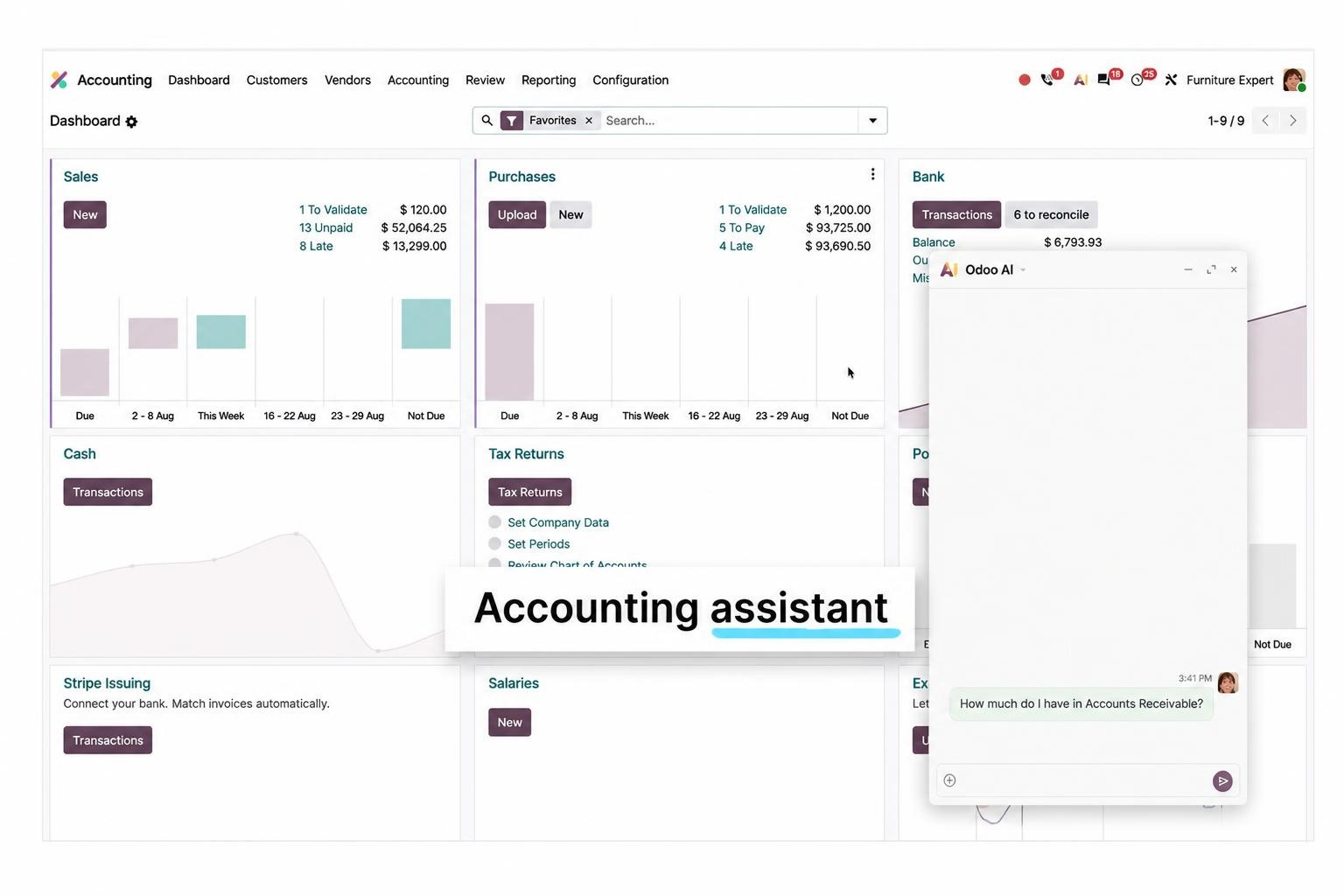
These updates support accountants in verifying data, tracking reconciliation status, and identifying items that require attention. However, AI only assists with analyzing existing data; the reliability of the results still depends on data quality and how transactions are recorded by the business.
4. Expansion of Website and Marketing Automation
For businesses using Odoo to manage their websites and marketing activities, version 20 brings notable updates across both areas.
For Website:
- AI Website Assistant: Can assist with page generation, block selection and editing, image addition, or relevant content recommendations.
- AI SEO Enhancement: AI can help optimize SEO for web pages.
- Website Optimization: Optimizes image delivery based on device screen sizes and refines SEO handling to reduce duplicate content across paginated pages.
These features enable website teams to build content and manage optimization tasks more conveniently. However, using AI does not replace manual reviews of content, page structure, and actual SEO performance.
For Marketing Automation:
- AI Campaign Generation: Users can prompt the AI assistant to help set up campaigns.
- Visual Workflow Builder: A drag-and-drop workflow builder makes customer journeys easier to design and track.
- Event-based Triggers: Campaigns can be triggered by specific events, such as page visits or newsletter subscriptions.
- Webhook Connectivity: Enables external system integrations to add campaign participants in real time.
- Email Template Reuse: Users can save and manage email templates in a dedicated library.
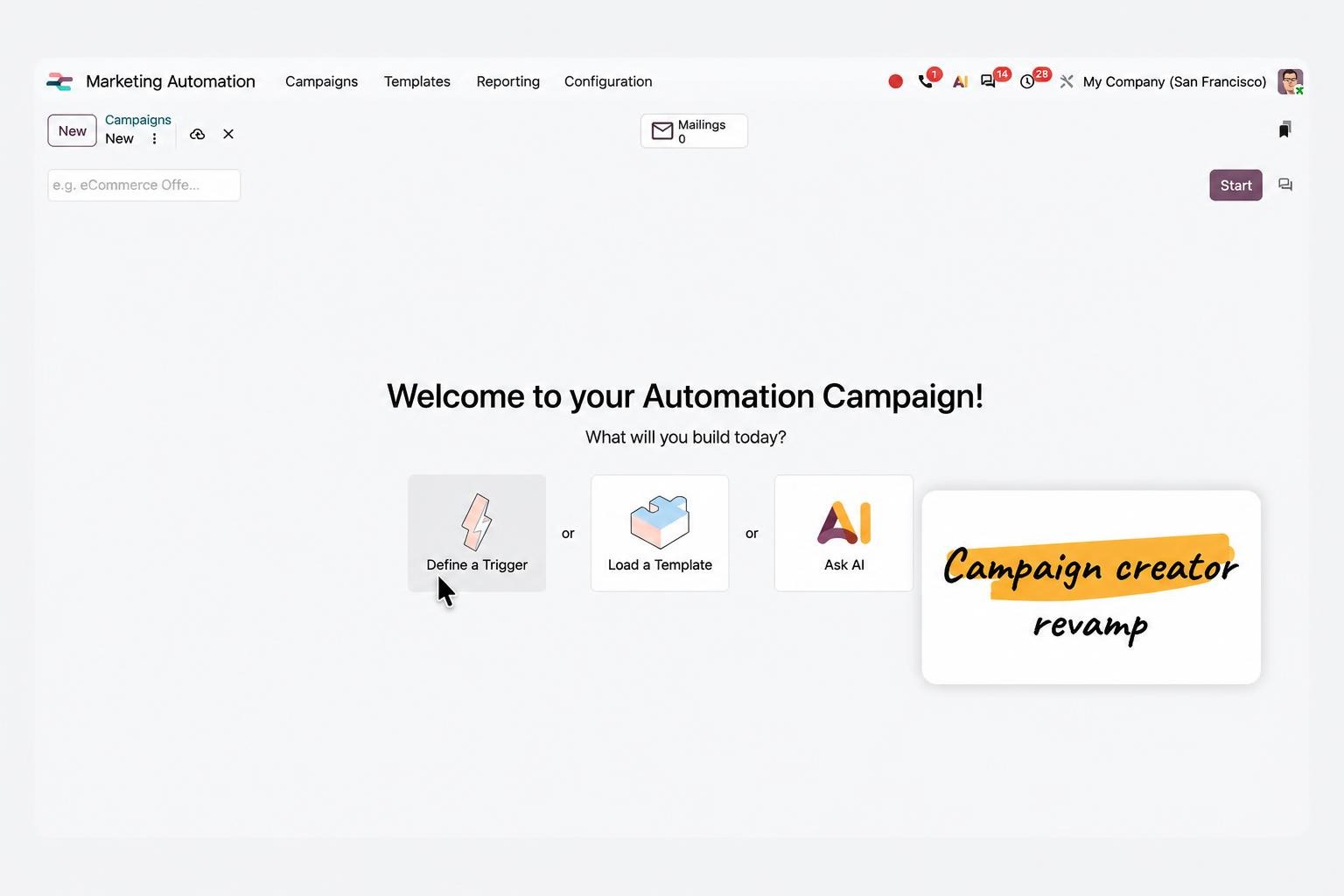
These updates help businesses build customer care workflows based on events and behaviors, rather than merely sending scheduled messages. Implementation effectiveness depends on audience segmentation, workflow design, and customer data quality.
5. Continued Refinement of Business Applications
Beyond the core feature sets above, Odoo 20 introduces updates across several applications supporting daily business operations:
- Manufacturing: Adds Kanban and Gantt views for work orders. Users can visualize schedules, drag and drop to adjust plans, and track timelines by employee. The work center overview also adds quick links to work orders and maintenance plans.
- Inventory: The replenishment process is streamlined by consolidating order actions onto a unified replenishment dashboard. The system also improves reorder quantity calculations in specific scenarios and simplifies return workflows.
- Sales: Adds performance metric dashboards to quotation and sales order list views, enabling users to gain quick insights and access fast filters. The system also supports sales commission calculations based on collected payments.
These updates focus on visual planning, operational simplification, and enhanced business visibility. Businesses should cross-reference each feature against their current workflows to identify improvements that deliver genuine value.
What Value Does Odoo 20 Bring to Businesses?
The value of Odoo 20 lies not just in the volume of new features, but in how those features are applied in real-world operations:
- Reduced manual tasks: AI Agents and automated workflows can handle repetitive tasks, reducing manual data entry and multi-step execution.
- Connected business processes: Applications operating on a single unified system allow seamless data coordination across Sales, Accounting, Inventory, Manufacturing, and Marketing.
- Enhanced visibility: Clearer views, reporting, and activity tracking tools help users monitor work statuses and quickly identify items requiring attention.
- Strengthened marketing operations: Website and Marketing Automation modules provide additional tools for content creation, customer journey design, and automated campaign triggering.
However, these benefits do not occur automatically simply by adopting the new version. Real results still depend on business processes, data quality, proper system configuration, and how effectively team members operate the platform.
What Should Businesses Consider When Upgrading to Odoo 20?
Not every business needs to upgrade immediately upon a new release. Before making a decision, several factors should be carefully evaluated:
- Assess overall fit: Identify which new features address specific pain points in current operations, rather than upgrading solely to run the latest version.
- Audit custom modules and integrations: Cross-check custom-built modules, third-party applications, and existing integrations to determine compatibility requirements.
- Calculate total costs: Beyond upgrade resources and testing effort, evaluate additional costs from associated services. Notably, Odoo 20 requires IAP credits for AI features; specific expenses should be audited based on expected usage volume.
- Conduct pre-production testing: Backup data, run trials in a staging environment, and validate core business workflows alongside user permission configurations prior to going live.
To make an informed decision, businesses should separately review the key differences between Odoo 19 and Odoo 20, then build an upgrade checklist tailored to their current environment. These two areas warrant deeper technical analysis beyond relying on high-level feature lists alone.
Conclusion
The official launch of Odoo 20 introduces major updates across three core pillars: expanded AI and automation applications, an enhanced user experience, and refined functional business modules. These advancements present valuable opportunities to eliminate repetitive manual tasks, increase visibility, and organize operational workflows with greater clarity.
However, prior to upgrading, organizations must assess compatibility with their existing setup, audit custom modules, evaluate system dependencies, and calculate implementation costs. Backed by extensive Odoo consulting and implementation experience, NOS stands ready to partner with your enterprise - guiding functional needs discovery, evaluating existing system architectures, and defining the most suitable upgrade roadmap.
NOS - Odoo Consulting & Implementation Experts in Vietnam
Helping you unlock the full power of Odoo 20 for your business operations.